Sign Up
School Account Sign Up




Treasure Hunt on a Grid
Imagine hiding a time capsule in your backyard. You want to find it again years later… but there’s a problem. “Somewhere near the tree” won’t help future-you very much.
You need exact directions.
That’s where a coordinate grid comes in. It works like a map with a built-in system that tells you exactly where something is. No guessing. No wandering around. Just precise directions every time.
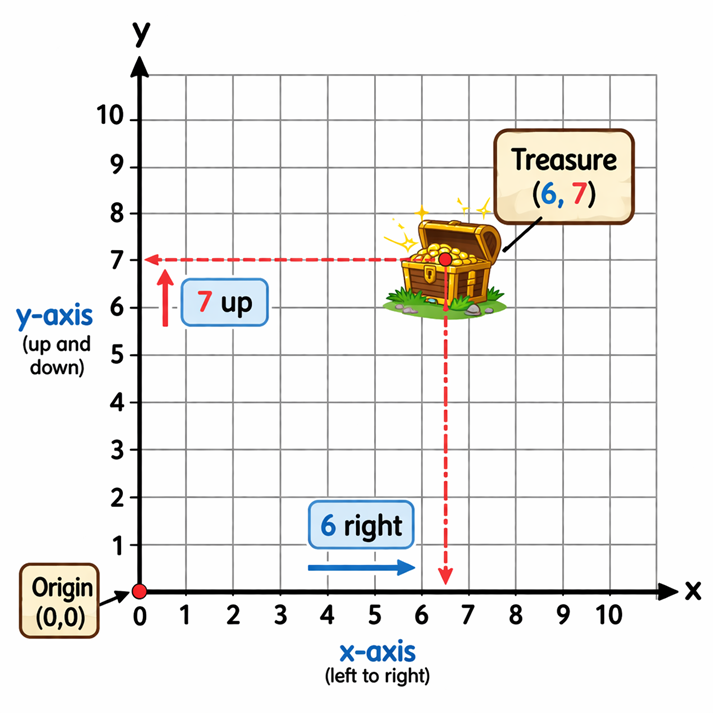
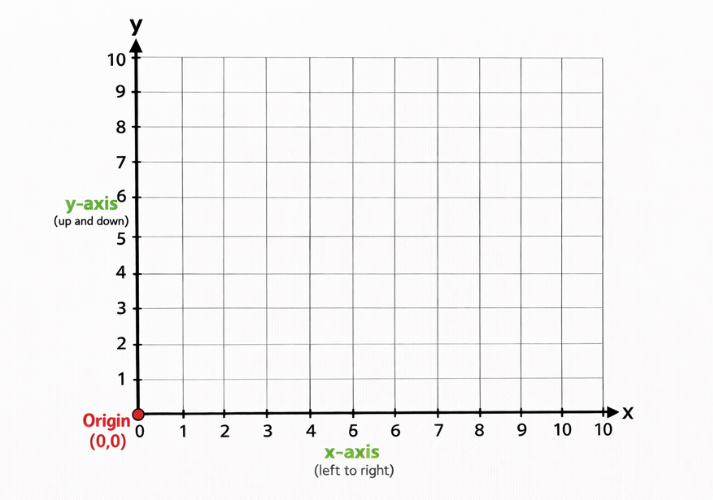
Look at this simple grid. It has numbers along the bottom and side, like a map with coordinates.
Now it’s time to learn how this system works so you can become a location expert.
Meet the Coordinate Plane
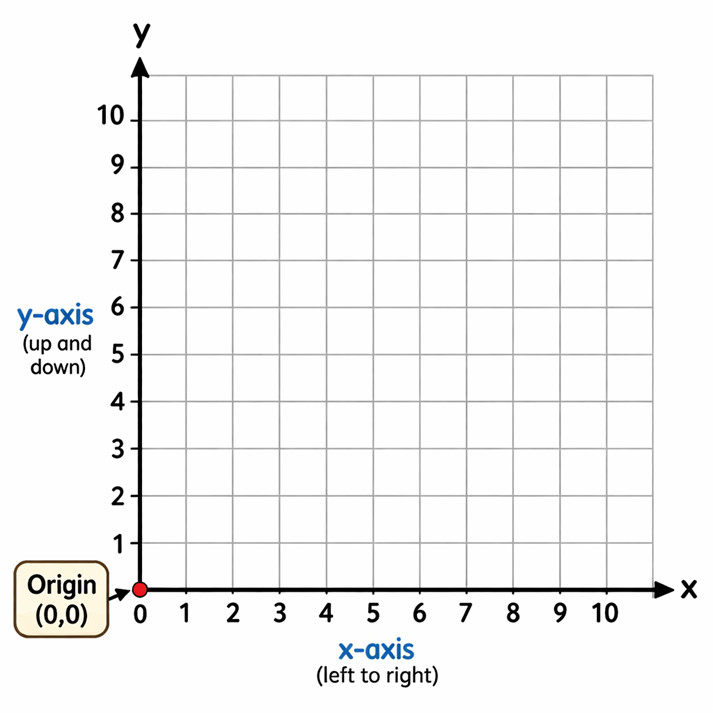
A coordinate plane is a grid made by two number lines.
The x-axis runs left to right (horizontal).
The y-axis runs up and down (vertical).
These two lines cross at a point called the origin. The origin is written as (0,0). It is your starting point every time.
This lesson focuses on Quadrant One, which is the top-right section of the grid where all numbers are positive.
What Is an Ordered Pair?
Every location on the grid is named using an ordered pair.
An ordered pair looks like this.
( x , y )
The order matters. A lot.
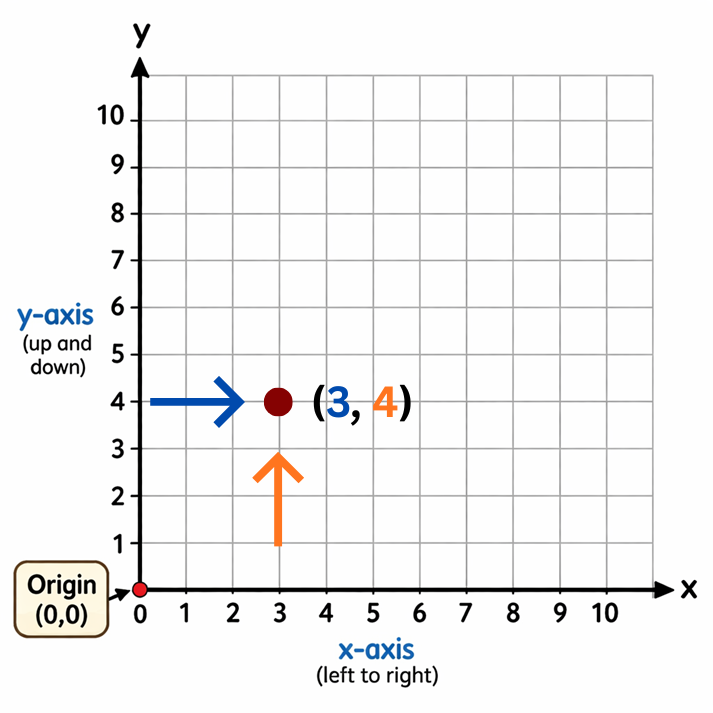
The first number tells how far to move right on the x-axis.
The second number tells how far to move up on the y-axis.
Think of it like directions.
“Go right first, then go up.”
How to Plot a Point (Step-by-Step)
Follow this simple rule every time.
Example: Plot the point (3, 4).
That’s it. You just plotted a point.
Order Matters (No Cheating the System)
Now look at these two points: (2, 8) and (8, 2)
They use the same numbers… but they land in completely different places.
(2, 8): right 2, up 8
(8, 2): right 8, up 2
Switch the order, and the location changes. Every time.
So stay sharp. The x always comes first.
What About Fractions and Decimals?
Not every point lands perfectly on a whole number.
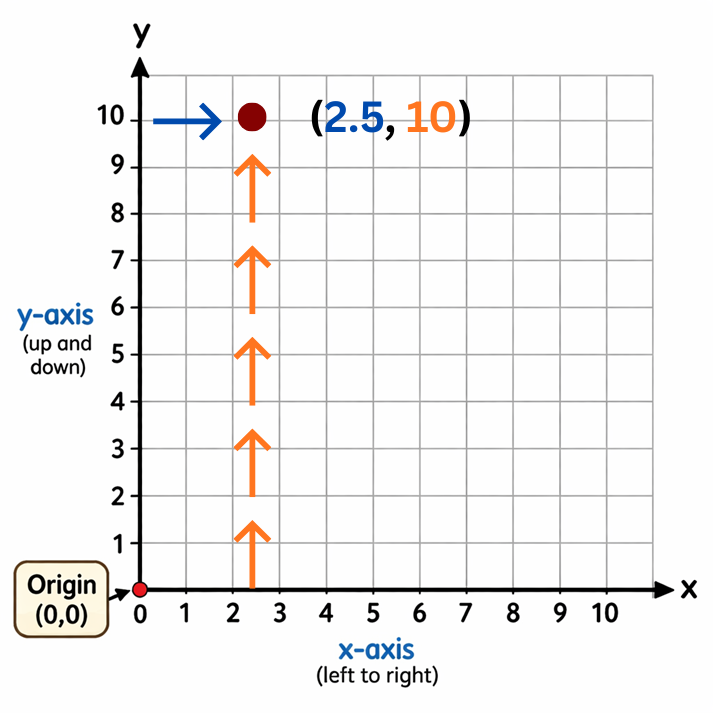
(2.5, 10) means go halfway between 2 and 3, then up to 10.
(1, 4.5) means go right 1, then halfway between 4 and 5.
When this happens, estimate carefully and place the point as accurately as possible.
Quick Vocabulary Check
You just learned the key terms.
Coordinate plane: the full grid
x-axis: left to right line
y-axis: up and down line
Origin: starting point (0,0)
Ordered pair: (x, y) that names a location
If these feel easy, that’s a good sign. If not, reread and try the examples again.
You’re about to put these skills to work.
Get Ready to Practice
Now that you know how to read and plot points, it’s time to try it yourself. You’ll map locations, describe them, and make your own coordinate-based plan.
Grab your pencil. The grid is waiting.

Supplies


 FAVORITE
 Like
Like